

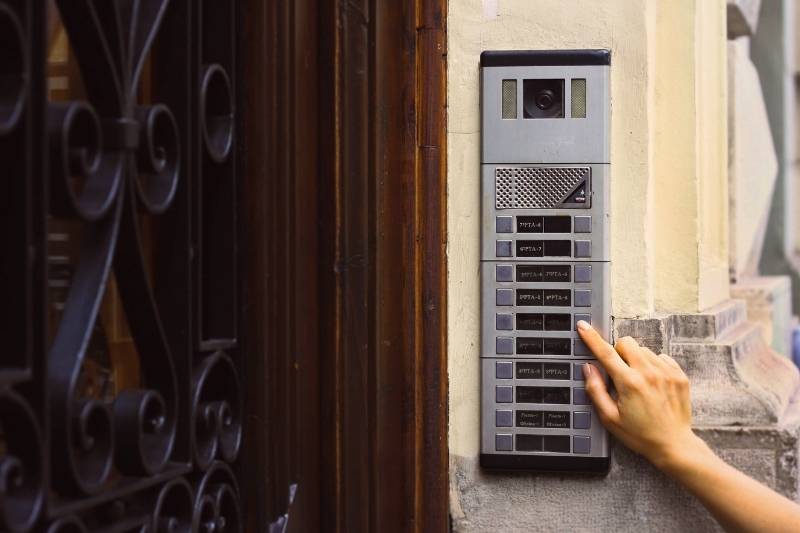
Selecting and deploying the right door buzzer system can transform how a commercial property manages visitors, deliveries, and after-hours access. When technology is matched to the building’s layout and risk profile, the result is faster entry decisions, fewer bottlenecks, and better oversight of who comes and goes. This Door Buzzer Guide walks through the distinctions between wired and wireless solutions, how buzzers sync with intercoms and cameras, and the key considerations that affect stability and uptime. Whether you’re retrofitting a historic property or planning a ground-up build, the details you choose at the outset determine long-term performance. For organizations seeking clarity and execution, partners like Forbel can help align system design with real operational needs.
Comparing Wired and Wireless Door Buzzer System Designs
Wired and wireless door buzzer systems both aim to provide prompt, controlled entry, but they deliver that promise in different ways. Wired designs are known for rock-solid reliability, low latency, and predictable behavior in busy RF environments, making them a strong fit for high-security sites and metal-rich structures. Wireless systems, on the other hand, shine in fast deployments and hard-to-cable areas, lowering disruption during renovations and enabling flexible device placement. Interference and battery planning become more central in wireless deployments, whereas wired installations focus on cable pathways, conduit, and PoE switch capacity. The best choice often depends on construction materials, budget, timeline, and how deeply you plan to integrate with other building systems.
Key design trade-offs
In new construction, it’s usually easier to justify wired infrastructure because you can incorporate raceways and structured cabling from the start without extensive patchwork. In retrofits, wireless buzzers can minimize wall cuts and ceiling access, reducing downtime for tenants and customers. If your building faces RF congestion—from neighboring offices, industrial equipment, or dense Wi-Fi—wired options reduce the risk of dropped signals and delayed unlocks. Conversely, if teams anticipate frequent layout changes or tenant turnover, wireless provides the agility to move devices and expand coverage with minimal cost. Whichever you choose, specify security-grade encryption, plan for future density, and confirm your buzzer platform supports the integrations you’ll need over a five-to-seven-year lifecycle.
How Buzzers Improve Access Control and Entry Monitoring
Door buzzers excel at filtering access at the point of entry, which is where risk concentrates and first impressions form. They enable staff to visually or verbally verify identity before granting entry, and they record when and how doors are opened. This creates a consistent audit trail for compliance, incident response, and operational analytics—particularly useful for multi-tenant buildings and healthcare or finance spaces. When paired with directories and role-based permissions, receptionists and security teams can rapidly validate visitors and direct them to the right destinations. As you’ll see throughout this Door Buzzer Guide, buzzer workflows help close the gap between policy intention and daily practice.
Practical workflow examples
Consider a lobby where deliveries, contractors, and clients arrive in waves on Monday mornings. With a properly configured buzzer and intercom, staff can triage visitors quickly: verify a purchase order, confirm a work ticket, or notify a host with one tap. Event logs then tie these interactions to door releases, providing critical context if a package goes missing or a tailgating incident is suspected. In multi-tenant properties, buzzers can route calls per directory entries, so the right suite receives notifications without overburdening the main desk. Over time, analytics expose patterns—peak arrival times, average response duration, and frequent visitors—so you can staff appropriately and refine your entry policy for clearer expectations.
Integrating Door Buzzers With Intercom and CCTV Systems
A door buzzer does its best work when it’s not a standalone tool but part of a coordinated security stack. Integrating with video intercoms gives staff real-time visuals to confirm identity, spot badges, and detect suspicious behavior before granting entry. When connected to CCTV and a VMS, buzzer events sync with camera footage, allowing rapid incident reconstruction and tighter compliance reporting. Modern platforms support SIP for intercom calls, RTSP or ONVIF for video, and webhook or API triggers for door releases and notifications. The outcome is a streamlined experience for tenants and visitors, and a richer, centralized view for security teams.
Integration workflows
A practical integration ties the buzzer to an IP intercom panel at the entrance, routing calls to a reception console and fallback mobile app after set timeouts. The same action triggers a camera bookmark, tagging video around the door release so operators can review the exact moment. If no one is available locally, remote operators can step in to verify via video, then issue a timed unlock to prevent doors from staying open. Forbel often recommends mapping these workflows to clear escalation rules—on-premise first, then cloud-based monitoring—to balance speed with accountability. With consistent naming conventions for devices, doors, and events, your audit trail becomes easier to search, export, and act upon.
Installation Considerations for Different Building Layouts
Every building poses unique challenges that influence how door buzzers are installed, powered, and maintained. Lobbies with glass storefronts may require surface-mount hardware and discreet cable concealment, while brick or stone exteriors often need masonry-friendly conduit planning. Multi-tenant floors add complexity: you’ll balance centralized control at the main entrance with tenant-specific permissions and notifications. Warehouses and industrial sites bring long runs, extreme temperatures, and heavy machinery into play, which increases the value of shielded cabling and ruggedized enclosures. Throughout this Door Buzzer Guide, a recurring theme is that early site surveys prevent costly change orders and ensure consistent performance.
Layout-specific tips
Start by mapping entry points, visitor flows, and delivery paths from the parking lot to the suite, then identify bottlenecks where line-of-sight or acoustics may hinder intercom clarity. In tall buildings, plan for network closets and PoE distribution to avoid underpowered endpoints on upper floors. For high-traffic doors, specify strike hardware rated for duty cycles that match expected use, and confirm fire and egress code requirements with your AHJ. Don’t overlook accessibility factors like mounting height, button illumination, and voice prompts, which improve inclusivity and reduce frustration. Finally, coordinate with property management on signage, user instructions, and training to ensure occupants understand how to request access and what to expect after hours.
Connectivity, Power Requirements, and Reliability Factors
Connectivity and power planning determine how reliably doors unlock when commanded and how well systems recover from hiccups. On the network side, prioritize VLAN segmentation for security, QoS for voice/video traffic, and adequate switch backplane capacity for concurrent streams. For power, most modern devices support PoE or PoE+, simplifying installation and centralizing backup via UPS units. In wireless environments, survey the RF spectrum, set channel plans, and document handoff behavior for roaming devices that support mobile unlocks. By investing in these fundamentals, you reduce nuisance failures that erode trust in the system and increase help desk tickets.
Power and uptime essentials
Resilience starts with redundant pathways: dual network switches, UPS coverage sized for multi-hour outages, and surge protection for exterior hardware. If your buzzers rely on cloud services, document failover behavior for WAN loss—local unlock fallbacks, cached permissions, and manual override procedures. Where possible, leverage supervised inputs and health monitoring so the system alerts you before a device actually fails. This Door Buzzer Guide also encourages scheduled firmware maintenance windows, with a rollback plan and clear communication to tenants. Finally, test disaster scenarios twice a year, validating door release timing, door-ajar alarms, and recording synchronization so you know the system will hold up when it matters.
Benefits of Streamlined Entry Management for Businesses
A well-designed buzzer ecosystem does more than secure a door; it refines the entire visitor journey. Receptionists gain clarity, hosts receive timely notifications, and delivery partners know exactly where to go and how to confirm identity. This reduces dwell time in lobbies, shortens lines during peak periods, and projects a professional, well-orchestrated first impression. Compliance teams benefit from consistent logs and video bookmarks, while facilities managers get the metrics needed to justify staffing and equipment budgets. Over months and years, these efficiencies compound into lower operational overhead and fewer service calls.
Operational advantages
Customers often report fewer false alarms, clearer communication among teams, and more predictable after-hours procedures once buzzers, intercoms, and cameras operate as one. With analytics in place, businesses can align staffing to arrival patterns, proactively manage vendors, and refine visitor policies based on real data. Remote unlock capabilities support flexible work arrangements and reduce the need to keep someone at the desk during quiet hours. If you need help tailoring these outcomes to your property’s footprint and risk profile, Forbel can audit your environment and recommend a right-sized architecture. As this Door Buzzer Guide demonstrates, the right design choices turn entry points from pain spots into efficient, welcoming, and accountable touchpoints.